An AI assistant for your business that answers with sources
Ava is the AI assistant built into Navalo. Your projects, meetings, files, deals and numbers already live in one workspace, and Ava reads what you may see, answers in plain words and shows where every answer came from.
On every plan, inside a monthly AI allowance.




An AI knowledge base built from the work you already did
There is nothing to connect, export or upload. When a meeting ends, a file is added or a deal moves, Ava reads it from the same place your tabs do.
Ask Ava in the middle of a meeting
Navalo has its own video calls, voice rooms and team chat, so your team can meet without a separate meeting app. In a Navalo call, say “Ava” and ask, and the answer arrives while the meeting is still going.
- She puts a deck, document, spreadsheet or chart on screen for everyone allowed to see it, or only for you when not everyone can
- She builds a one-page summary or a deck from a spreadsheet during the call
- She translates the call live as people speak, into 10 languages
- She changes the work only after someone confirms, with Undo
Asking Ava in a call needs the Team plan or above and uses AI credit. In Zoom, Google Meet and Teams, Ava records and writes the notes.
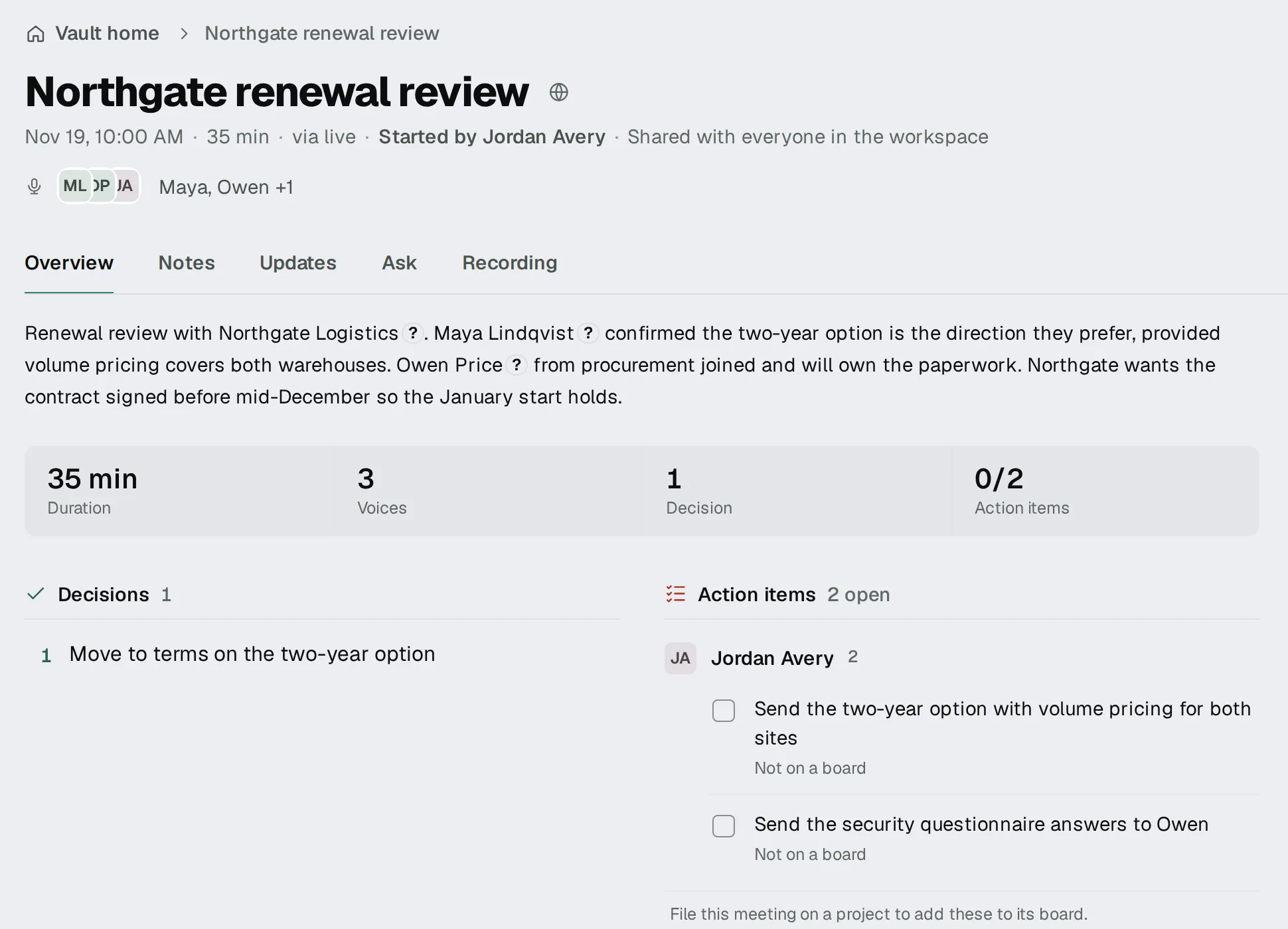
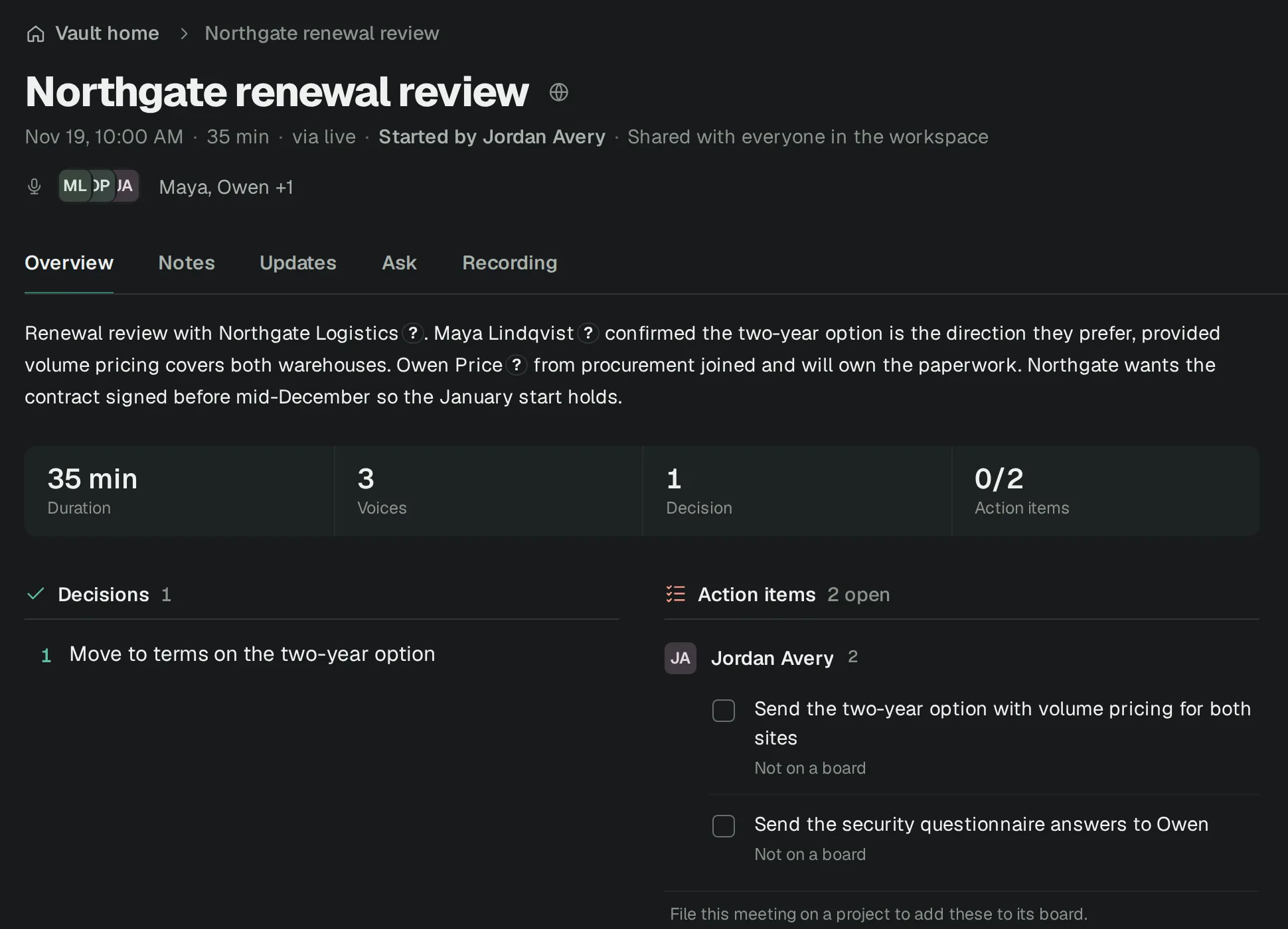
Every answer shows its sources
Under each answer is a Sources row: the tasks, meetings, files and records Ava read to write it. Press one and you are looking at the original, like this meeting.
- A source you can open is a link to the board, meeting, file or record itself
- A number Ava counted for you is marked measured, so you know it was worked out, not quoted
- Ask for the transcript or the whole file, and Ava reads further
Answers limited to what each person may see
Ava answers as the person asking. Every question re-checks their own permissions before a row is read, so two people can ask the same thing and get different, correct answers.
- A private project you are not on is not in the answer, the chart or the trend line
- A private meeting stays with the people who can open it
- There is no admin override and no separate AI account with wider access
“What is late this week?”
Asked by Sam, on both projects
Three tasks: the copy review and the switch order on Beckett Street, and the vendor shortlist on the private Fit-out project.
Asked by Riley, on Beckett Street only
Two tasks: the copy review and the switch order on Beckett Street.
Fit-out is not mentioned, not counted and not hinted at. For Riley it does not exist.
Ask for a chart in plain words
Say what you want to see and Ava draws it from your live rows. Switching the type, the grouping, the filter or the window is a click that costs nothing, and several charts at once become one graphic you can reopen and edit.
Someone asks Ava to draw deals by stage as a funnel. Ava draws a funnel from the CRM (lead, qualified, proposal, won) with the type, grouping and window controls under it, and offers to send it on.
An infographic Ava composed for the Beckett Street project: a heading, three big numbers drawn from live data, a small trend chart, and a list of takeaways, laid out as one column.
41 ways to see it, in 7 categories.
Ask in plain words and Ava picks one. Open the chooser and every one of these is a click away: the same data, redrawn instantly. A type the current data cannot draw truthfully is offered disabled, with the reason.
- Comparison8
- Trend9
- Composition5
- Distribution5
- Relationship3
- Project8
- Tables3
Gantt
What is the schedule for this project, and what is running late?
Burndown
Is this project on track to finish its remaining work?
Funnel
Where are deals dropping out of our pipeline?
Workload
Who is carrying the most open work right now?
Pareto
Which task types are behind most of our overdue work?
Heatmap
Which people are busiest in which weeks?
Waterfall
What moved our budget from the opening figure to today's?
Dependency graph
What is blocking this project's critical work?
Ask where a project stands and where it is heading
Ask where a project stands and Ava reads its board, its milestones, its budget and its last meeting before it answers. Ask about a person and it reads their open work and their calendar. Ask about a run of meetings and it compares them: what was decided twice, what was promised and never became work.
- Late, blocked and unowned work, with the owner and the date beside each
- What a meeting decided, and which of its action items are still not on the board
- Who is carrying the most, who has room, and who is free on Thursday
- Budget spent against the plan, and where it is running hot
Ask for the trend to continue and Ava projects it a few periods forward. The projection is arithmetic over the rows it just read, drawn dashed in its own series, and labeled a projection, so a guess never wears the same line as a count.
Two cards. A status brief for the Beckett Street project: behind, with four late tasks, the fit-out milestone two weeks late, Riley carrying the most open work, and Tuesday's review having moved the launch a week. Under it, a chart of tasks completed per week with a dashed projection continuing the line for four more weeks, captioned as a projection rather than a measurement.
Ava's launcher button with the bubbles it shows one at a time: a design review starting in ten minutes with a Join button, Beckett Street having four tasks past their deadline with a Remind button, a project having spent 82 percent of its budget with an Open budget button, and Autopilot waiting on a decision with an Open button.
Ava tells you when something needs you
A small bubble above Ava's button says one thing when there is something worth one sentence: a meeting about to start, work that has gone late, a budget running hot, a decision waiting on you, a mention you have not read. One at a time, quiet at night, and every one ends in something you can press.
- Set your own reminders in a sentence, like "remind me Thursday to chase the copy review", and Ava fires them
- Nudge a colleague, a whole project or a group about late work: Ava writes the message, you press send
- Type /ava in any chat conversation and it answers there, with the channel's project as context, for everyone in the thread
- Or ask for the round-up whenever you want it: what was decided, what is overdue, what is on this week
Ask for the change and Ava makes it
The same Ava that found the problem can fix it. She acts as you, never beyond what you may do yourself, and tells you what she changed.
- Creates, edits and reschedules tasks, adds checklist items and comments, and moves overdue work to sensible dates
- Books and edits meetings, invites people, and checks who is free first
- Writes a note or a document on a project, builds a data table from the project's own rows, and adds a Gantt, calendar or capacity view to its tabs
- Drafts a new project and hands you the creation card with the fields filled in, and you press the button
Most of that happens the moment you ask, and Ava reports it in the past tense. Anything that reaches other people arrives as a card: a message sent as you, a nudge to a colleague, a change to who is on a project, a deletion. You press it, and the press re-checks your permission at that moment.
Two cards. A receipt of what Ava just did: created three tasks, booked a check-in, wrote a note and added a Gantt tab. And a card waiting to be pressed: a message to the launch channel, sent as you, with Send and Not now buttons.
Ask @Ava in any chat conversation
Mention Ava in a direct message, a group or a channel and she replies in the thread, for everyone in the conversation to read. She answers only from what everyone there may see.
- She reads the recent messages in that conversation, or the thread you asked in
- A question about your projects, calendar or figures is offered to your own Ava panel instead, so nobody sees what they could not open
- She can offer to add it to a board, summarize it into a project or schedule a meeting, and only you can press those
Send a chart to chat, a task, Files or a Grid
Every chart has one menu that sends it to the conversation, a task, the file library, the project's front page or a Grid.
Live where it should be
In chat as a live card, and pinned to the Overview, it is read again for each viewer.
A snapshot where it should not
A table, a file or a download keeps the numbers from the moment you sent it.
Redrawing is free
Switching its type, grouping or window costs nothing.
A chart of tasks by status with its Send to menu open, listing chat, a task, a meeting, Files, the Overview, a Grid, a table and a download. Beside it, the same chart posted in a project conversation as a live card, and attached to a task as a snapshot.
An AI allowance on every plan, with caps you set
Every plan, Free included, carries its own monthly AI allowance. Turning your sentence into an answer or a chart spends it; drawing, redrawing, switching and filtering never do, so the allowance goes on answers.
- Admins see usage by feature and by person, and can cap either
- When the allowance runs out, Ava says so and keeps answering from your workspace data without the model until it resets. Nothing is billed behind your back
- Private AI workspaces point Ava at their own endpoint: unmetered, uncapped, and your data goes only where you said
AI business assistant FAQ
Can Ava see a project I am not on?
No. Every question re-checks your own permissions before a row is read, so a private project you are not on is not in the answer, not in the chart and not in the trend line. It is as if it did not exist. There is no admin override and no separate AI account with wider access.
Does redrawing a chart cost anything?
No. Turning your sentence into a chart is one model call inside the monthly AI allowance; switching its type, grouping it differently, filtering it, changing the window and drawing it again wherever it is pinned are arithmetic on the server and cost nothing.
Is a projection a prediction?
It is arithmetic over the rows Ava just read: a straight-line continuation of the window, or the average of the last few periods held flat. It is drawn dashed, in its own series, with a caption saying so, and it is only offered once there are enough observed points to continue. No model invents the numbers.
Does Ava act without asking?
Most changes happen the moment you ask, such as a task created, a meeting booked or a note written, and Ava reports what it did, attributed to you. Anything that reaches other people arrives as a card you press: a message sent as you, a nudge to a colleague, a change to who is on a project, a deletion. What it deletes goes to the same recoverable bin as the board.
Where does Ava live?
In the assistant button on every page of the app, in a bubble above that button when it has one sentence worth saying, in chat (mention @Ava in any conversation and she answers in the thread from that conversation, or type /ava to ask with the channel's project as context), and in a Navalo call, where you can ask her out loud or in the meeting chat and get the answer during the meeting.
Point Ava at your own work
Create a workspace, put real work in it, and ask the question you would ask a project manager. Every answer shows its sources.
Every workspace starts with 14 days of the full Business plan, no card. Then keep the free plan as long as you like.